
Show Full Images Of Thumbnails In Firefox With Thumbnail Zoom Plus
Thumbnail Zoom Plus is a powerful image zoom add-on for Firefox – it supports a huge variety of sites and has a lot of options plus hotkeys to save time.

Thumbnail Zoom Plus is a powerful image zoom add-on for Firefox – it supports a huge variety of sites and has a lot of options plus hotkeys to save time.

Firefox includes a little known Accessibility option to disable websites from using their own colors.

Firefox 19 has been released with a new built-in PDF Viewer and many other technical improvements.
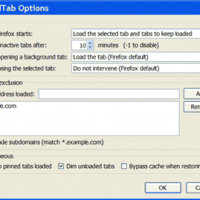
UnloadTab is an extension for Firefox which can unload inactive tabs – saving RAM (memory) and freeing up CPU resources. In my own tests with multiple tabs open, RAM usage is typically reduced by more than 50%.
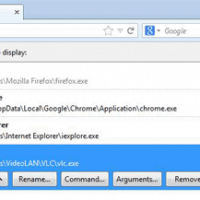
Streaming a YouTube video into VLC Media Player offers more useful controls than watching on YouTube itself. Firefox users can also install an add-on to make it an automatic single click process.

Open With is a clever Firefox add-on to open a web page (or link) in another browser with one click via a tab bar icon (or context menu options).

Toolbar Cleaner is a small and simple free program to remove unwanted browser toolbars from Google Chrome, IE and Firefox.
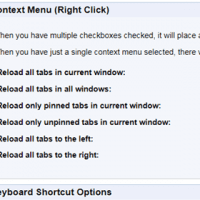
How to easily reload (refresh) all tabs in Chrome, or Firefox and IE. We review how to do this manually or by using a browser extension.

Time Restart is a new Firefox addon which can automatically restart Firefox after a set amount of time (in minutes) that you define. It may help users who suffer from a lack of RAM or Firefox slowing down over time.

How to easily display Firefox mobile view of websites on a PC – and switch this functionality on/off or change the type of mobile or tablet view required